
Employees
HR roster, deal owners, and booked / collected / recognized contribution.
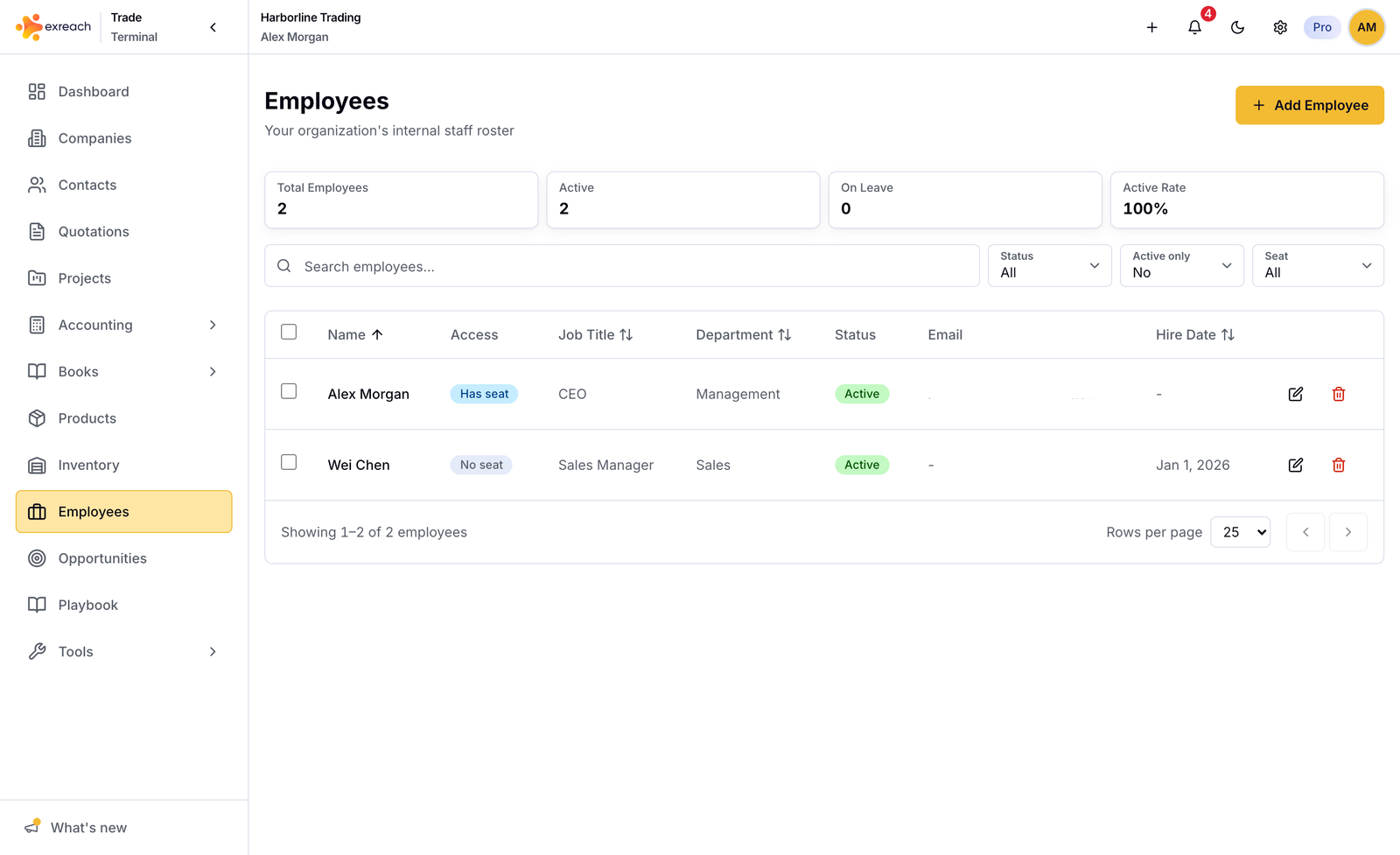
Employees is the people roster inside the workspace. It is not the same as a billable seat.
- Every teammate with a login gets a linked employee row.
- You can add employees who never sign in, for salary and HR.
- When you remove a teammate, the employee row stays. The login link is cleared.
Marketing: Employees.
Deal owner
Companies, opportunities, quotations, invoices, and projects have a deal owner. The owner must be a seated teammate (an employee linked to an active member).
New records default to the signed-in user’s employee when you do not pick someone. When you convert quotation → invoice → project, the parent owner copies forward.
Locks
- Invoice owner locks when status becomes paid (including that save).
- Project owner locks when the project is closed.
Quotations, companies, and opportunities stay editable.
Contribution on employee detail
The detail page shows three totals. They are not one blended number:
| Label | Meaning |
|---|---|
| Booked | Invoices sent, accepted, or paid for that owner |
| Collected | Books income for that owner |
| Recognized | Closed project profit for that owner |
Salary
Saving salary on an employee can create or update a recurring Books expense. See Books.
Name
For seated employees, the name on Settings → General (Your profile) is the source of truth. HR-only employee names stay editable on the employee form.